

If you want scheduling and analytics, use an app like Range Reps or Offcourse. If you rely on feel and want a searchable cue library, Grooved is built for exactly that. If you'd rather leave the phone in your bag, a structured paper journal like the Ultimate Consistent Golf Journal forces the kind of focused reflection a screen rarely does.
Here's the part most golfers get wrong: the tool matters less than what you record in it. A golf practice log that only tracks balls hit is nearly worthless. One that tracks swing feels, drill type, and a rating against a stated goal is what actually moves your handicap.
- Best for feels and pattern recognition: Grooved — swing-feel indexing with AI surfacing, iOS only.
- Best for structured reps and scheduling: Range Reps — templates, per-rep counts, calendar heat map; free with a Pro tier.
- Best all-in-one with round data: Offcourse — links practice mix directly to scoring trends.
- Best paper option: Consistent Golf's Ultimate Consistent Golf Journal — one-time purchase, no app required.
Pro Tip: Before you download anything, decide whether your weakness is technical (swing mechanics) or strategic (course management and short game). That answer decides whether you need feel-logging or stat-logging first.
Key Takeaways
Consistent logging of swing feels and drill ratings, not raw ball counts, is what turns practice into measurable improvement.
| Point | Details |
|---|---|
| Match tool to workflow | Choose apps like Range Reps or Offcourse for scheduling and analytics; choose paper journals for focused reflection. |
| Log feels, not just counts | Write the specific swing cue immediately after a good shot, since the memory fades within days. |
| Apply the 80/20 rule | Devote most weekly sessions to short game and putting, the highest-leverage scoring areas. |
| Review weekly, not just log | A five-minute Sunday review of ratings reveals which drill deserves your One Thing focus next week. |
| Compete on what you've built | Worldamateurgolftour turns a logged season of progress into a visible record through WAGR-counting tournaments and player profiles. |
Table of Contents
- What Should a Golf Practice Log Actually Track?
- Which Golf Practice Log Should You Choose?
- How Do You Choose the Right Practice Log?
- How Do You Build a Weekly Practice Log Routine?
- How Logging Feeds Tournament Preparation
- Common Mistakes That Wreck a Practice Log
- Connecting a Practice Log to Coaching and Other Tools
- Is Your Digital Golf Practice Log Actually Private?
- What the Research Actually Supports
- A Different Kind of Practice Partner
- Sources
What Should a Golf Practice Log Actually Track?
A useful log records eight things every session: date, duration, practice block type, the specific drill, balls hit, club, a self-rated score, and the swing feel or thought that produced your best contact. Miss any one of these and you lose the thread that connects today's range session to next month's round.
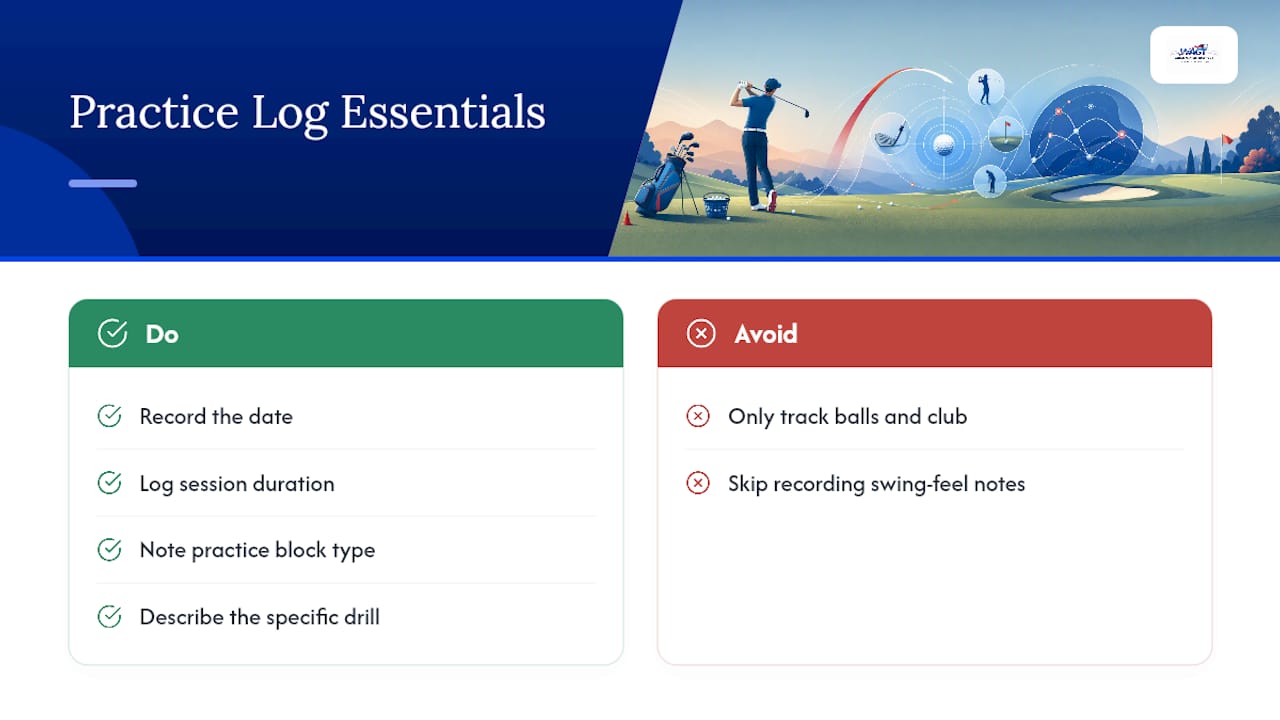
Most golfers who keep a log at all only write down balls hit and maybe a club. That's a scorecard, not a practice log. The Ultimate Consistent Golf Journal and similar guided journals fix this by pre-structuring practice and round entries with review pages, so you're prompted to fill in the fields that actually predict improvement rather than the ones that are easiest to jot down.
The swing feel field deserves special attention because it decays fast. Golf instruction writers have pointed out that a swing feel that produced a great shot is often forgotten within days if it isn't written down immediately, which is exactly why apps like Grooved built their entire product around capturing and indexing feels by club rather than treating them as a footnote. If you write "pressure into the ground on the downswing" the moment it clicks, you have a cue you can retrieve before your next round instead of chasing a memory that's already gone.
Format matters less here than consistency, but it still matters. A golf training journal you actually open every session beats a feature-rich app you abandon after two weeks.
Which Golf Practice Log Should You Choose?
The right pick depends on whether you need scheduling, feel tracking, round-linked analytics, or nothing more than a durable notebook you can leave in your golf bag. Some tools do one job extremely well; others try to cover the whole workflow.
| Product | Format | Best For | Standout Feature | Platform | Price Model |
|---|---|---|---|---|---|
| Range Reps | App | Templated, scheduled reps | Per-rep templates, calendar heat map | iOS | Free, Pro tier subscription |
| Grooved | App | Feel-based players | Swing-feel indexing, AI pattern surfacing | iOS | Subscription |
| Offcourse | App | Linking practice to scores | Practice-to-round analytics, coach-style drills | iOS/Android | Free/subscription tiers |
| SKAFT | App | Data-minded, drill variety | Large drill library, weekly dashboards | iOS/Android | Subscription |
| Consistent Golf Journal | Paper | Focused reflection, review pages | Pre-structured practice/round entries | Physical | One-time purchase |
| Clever Fox Golf Log Book | Paper | Casual, budget-friendly logging | Compact, affordable format | Physical | One-time purchase |
| Always Grind Range Logs | Paper | Season-long range routines | Warm-up structure, reflection prompts | Physical | One-time purchase |
| Track Pad Pro | Paper | Durable, reusable stat tracking | Reusable pages, FIR/GIR/putts tables | Physical | One-time purchase |
| The Golf Practice Journal | Paper | Pocket-size cue capture | Drill and yardage prompts | Physical | One-time purchase |
Range Reps structures practice into named reps rather than vague "hit some balls" sessions. The app's templated logging system tracks each rep against a goal, then renders your week as a calendar heat map so gaps in your schedule are obvious at a glance. Pro Tip: Use the heat map weekly, not daily. A single quiet day is normal. Three quiet days in a row is a pattern worth fixing.
Grooved treats swing thoughts as data. Rather than logging generic notes, it indexes feels by club and surfaces recurring patterns across sessions, which means the cue that worked six weeks ago is searchable instead of buried in an old note. If you've ever stood on the first tee trying to remember what fixed your slice last month, this is the tool built for that exact moment.

Offcourse connects the range to the scorecard. It shows how your practice volume and mix affect your scoring trends over weeks and months, which is the missing link for golfers who log diligently but never check whether the work is paying off on the course. Pair it with a monthly review to see whether more short-game reps are actually lowering your putts per round.
SKAFT leans into volume and structure with a large drill library and dashboards that update weekly, suited to golfers who want their progress quantified in charts rather than prose.
Consistent Golf's journal gives you pre-built practice and round pages plus review prompts that coaches use with students, so you're never staring at a blank page wondering what to write. Clever Fox offers a similarly structured but more compact and affordable option for golfers who want a log book without the guided-coaching price tag.
Always Grind's range logs are built specifically for range sessions, with warm-up routines and reflection space baked into every page, while Track Pad Pro uses reusable, water-resistant pages with built-in stat tables for fairways, greens, and putts, making it the sturdiest option for a bag that sees a lot of weather. The Golf Practice Journal stays pocket-size and prompts you to carry swing thoughts and yardages straight from the range into your next round.
How Do You Choose the Right Practice Log?
Match the tool to your actual workflow, not to whichever app has the flashiest screenshots. Work through these questions before you commit:
- What's your primary weakness? Technical swing issues favor feel-logging tools like Grooved; strategic or short-game gaps favor round-linked analytics like Offcourse.
- Will you actually open it mid-session? A journal you leave in the car is worse than no journal. Test whichever format fits your bag or pocket without friction.
- Do you need scheduling, or just a record? Golfers juggling a golf practice schedule across a busy season benefit from an app's calendar view; golfers with a fixed weekly routine may not.
- Do you want your data exportable? Some apps allow CSV export or cloud backup; most paper journals obviously don't, so decide upfront whether that matters for sharing with a coach.
- What's the real cost over a year? A one-time journal purchase versus a recurring app subscription adds up differently depending on how long you'll use it.
A few red flags are worth watching for. Any app that locks basic logging behind a paywall before you've tried a single session is asking for trust it hasn't earned. Any journal that offers only blank grid pages with no prompts is asking you to build your own golf improvement tracker from scratch, which defeats the purpose of buying one. And if a tool can't show you patterns over time, whether that's a heat map, a trend chart, or simply organized weekly pages, it's a diary, not a development system.
How Do You Build a Weekly Practice Log Routine?
Every logged session should capture the same core fields so you can compare week to week instead of guessing whether you're actually improving. Use this template:
- Date and duration — when and how long you practiced.
- Block type — block, random, or pressure practice.
- Drill — the specific drill name or setup.
- Balls hit and club — volume and equipment used.
- Rating — a 1 to 10 self-score against your session goal.
- Swing feel or takeaway — the cue that worked, written immediately.
A filled example: "March 3, 45 minutes, block practice, 9 to 3 wedge drill, 40 balls, PW, rating 7, feel: chest turns through impact before hands release."
Structuring sessions this way is what separates practicing from drilling. Coaches distinguish block, random, and pressure practice precisely because logging which type you used reveals whether your range work is transferring to the course or just building comfort in a controlled setting.
Apply the 80/20 principle across your week: three sessions might break down as two focused on short game and putting, one on full swing maintenance, since roughly 80% of scoring improvement tends to come from high-leverage areas like wedges and the greenside game. Pick one focus per week, the "One Thing" rule, rather than trying to fix your grip, tempo, and alignment simultaneously.
Pro Tip: End each week with a five-minute review: read back your ratings, circle the lowest one, and make that drill your One Thing for the next week. After five rounds, ask yourself what score pattern repeats and whether your logged practice actually targeted it.
How Logging Feeds Tournament Preparation
A consistent golf practice log becomes more than a personal record once you're competing regularly. It becomes the raw material for a player profile that shows real trend lines, not just a season summary written from memory.
At Worldamateurgolftour, we see this play out across our membership: players who log sessions and feed patterns into their preparation arrive at WAGR-counting events with a clearer read on what's working. A junior heading into a 54-hole event who has logged three months of short-game ratings knows exactly which drill to lean on the week before, rather than guessing.
The gap between a golfer who "practices a lot" and one who "improves a lot" almost always comes down to whether their practice was logged, reviewed, and adjusted, or just repeated.
That's the same logic behind our player development plan resources, which connect week-to-week logging to season-level readiness for competitive amateur and collegiate golf.
Common Mistakes That Wreck a Practice Log
The most common failure is logging volume instead of quality. Writing "hit 80 balls" tells you nothing about whether those 80 balls addressed your actual weakness. Log the drill and the rating, not just the count.
A close second: abandoning the log after a bad week. Golfers stop writing entries the moment progress stalls, which is exactly when the data is most valuable. A string of low ratings on the same drill is diagnostic information, not something to hide from.
Vague swing thoughts are another trap. "Swing felt good" captures nothing you can reuse. Compare that to "felt like I held the angle longer into impact," which gives you a specific cue to chase again. If you're using a feel-focused tool like Grooved, this precision is the entire point of the product.
Some golfers also over-engineer their template, adding ten fields nobody reviews. A golf shot analysis log with 15 columns that you fill out for two weeks and then quit beats a three-field system you maintain for a year, but only if you actually maintain it. Start simple, and only add fields once you've proven you'll use the basic version consistently.
Finally, plenty of golfers log practice but never review it. A log nobody reads is a diary, not a development tool. Block ten minutes every Sunday to actually reread the week.
Connecting a Practice Log to Coaching and Other Tools
A log is most valuable when it's not working in isolation. Bring it into every coaching conversation. A lesson built around "my slice is bad" gives your coach nothing to work with; a lesson built around three weeks of logged ratings and feels on a specific drill gives them a data trail to diagnose against.
Apps that link practice to round stats, like Offcourse, make this easier because your coach can see the same trend lines you do without you having to summarize weeks of notes from memory. If your coach prefers paper, print a summary page from your app or photograph a few journal weeks before your session.
Logging also pairs naturally with physical readiness. Practice volume that spikes without matching recovery is a common cause of overuse strain, and golf-specific guidance on managing load and preventing injury is worth reviewing if your log shows a sudden jump in weekly balls hit. The same goes for fueling long range sessions. Basic portion and nutrition planning helps explain why energy and focus fade in the back half of a two-hour session, something your log's rating column will show clearly if you track it honestly.
If you use a launch monitor or simulator, log the session type alongside the numbers it produces rather than treating the two as separate systems. A rating of "7" next to a launch monitor's spin data tells a fuller story than either one alone.
Is Your Digital Golf Practice Log Actually Private?
Digital logs store more personal information than golfers usually consider: your location patterns from GPS-tagged range sessions, your performance history, and sometimes payment details tied to subscription tiers. Before committing to an app, it's worth understanding what happens to that data.
Check whether the app stores data locally on your device versus syncing to a cloud server, since cloud storage means your swing notes and performance history live on a third-party server indefinitely. Look for whether the app allows data export or deletion. A golf improvement tracker you can't export locks your season of logged sessions inside one company's ecosystem, which becomes a real problem if the app shuts down or changes its pricing.
Subscription-based apps also tend to collect more usage analytics than one-time-purchase tools, simply because ongoing engagement data supports their business model. That's not necessarily a problem, but it's worth reading the privacy policy before you log genuinely personal notes like injury details or mental game struggles you wouldn't want surfaced elsewhere. If privacy is a priority, a paper journal sidesteps the question entirely: your notes exist only on the page in your bag.
What the Research Actually Supports
Most advice on practice logging treats the tool as the hard part. It isn't. The hard part is writing down the feel, not the ball count, and reviewing it before you decide it doesn't matter.
The conventional wisdom, hit more balls, track more stats, misses that research on the 80/20 rule points the other direction: fewer, better-targeted sessions logged honestly beat volume every time. A golfer who logs three focused short-game sessions a week will outpace one who logs five unfocused full-bucket sessions, and the log is what proves it, not the leaderboard.
If you take one thing from this article, make it this: pick one tool, log the swing feel every single time, and review your week before you decide what to fix next. Everything else, app versus paper, templates versus blank pages, is a distant second in importance to that habit.
— Gene
A Different Kind of Practice Partner
A practice log tells you what you're working on. It doesn't tell you where to prove it. That's where Worldamateurgolftour fits differently than any app or journal in this article: we're not another logging tool, we're the stage your logged progress is preparing you for.

Once your practice log shows real, consistent gains, WAGR-counting tournaments are how that progress becomes visible to college coaches and ranking committees. Worldamateurgolftour memberships give junior, collegiate, and amateur golfers access to professionally run events at respected courses, with player profiles and live scoring that turn your logged season into something recruiters can actually see. Where a practice app tracks your reps, our platform tracks your results in competition, and connects the two so your development story is complete. Check current event dates and explore membership options to put your practice log to work on the course that counts.